How to use the flashcard tables in the Study Guides
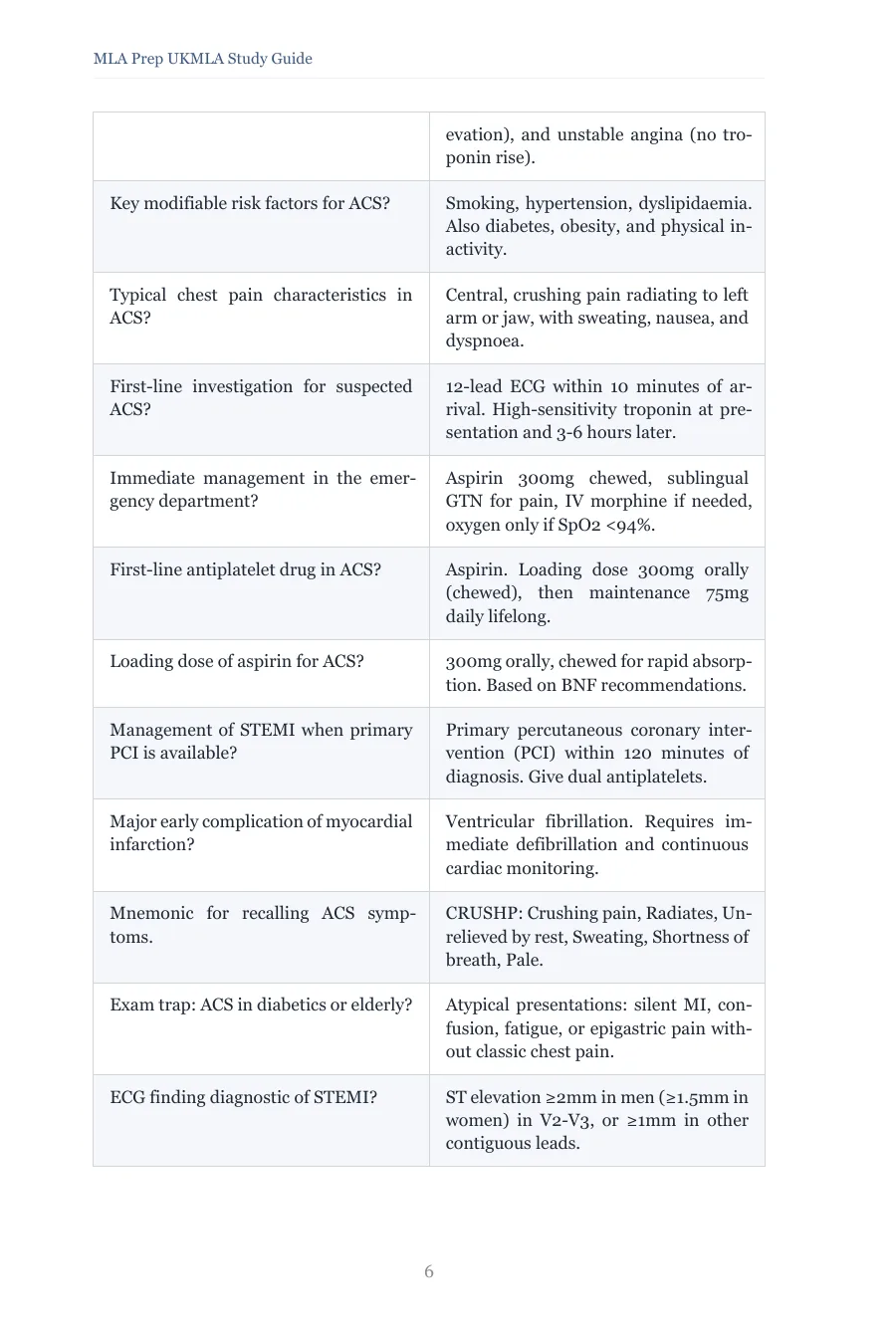
Every chapter of the MLA Prep UKMLA Study Guides ends with a Key Flashcards table: a question column on the left and an answer column on the right, usually 15 to 20 cards, 8,020 across the ten volumes. Use them the way you would a deck. Cover the answer column with a sheet of paper or your hand, work down the questions, and rate each one as you go: forgot, hard, good or easy. Revisit the chapter's table on a widening schedule, roughly one, three, seven and fourteen days after you first read the chapter. The rest of this guide is the detail: what the cards contain, how to keep the schedule without software, and where the app's cards take over.
What a card table contains
The cards are written from the chapter, so they test what the notes taught: a definition, a first-line investigation, a management threshold, a mnemonic, and a handful of exam traps phrased as traps, such as the atypical presentation of a myocardial infarction in a diabetic patient. They are not a summary of the chapter; they are the parts of it an examiner can turn into a question. That is why the count varies by chapter: acute coronary syndromes has more examinable thresholds than orthostatic hypotension.
A paper spaced-repetition routine
Software schedules cards for you; paper needs a rule you can keep. The simplest that works: keep a single page per volume listing the chapters you have read, with the date. Each morning, glance down the list and pull any chapter whose last review was one, three, seven or fourteen days ago. Work its card table, mark the cards you failed with a dot in the margin of your notes, and move on. A chapter with no dots after the fourteen-day pass is done until the final week.
This costs about five minutes per chapter per pass. At three chapters a day it is a quarter of an hour, which is the amount of flashcard time most students can sustain for a term without resenting it.
Print them, or don't
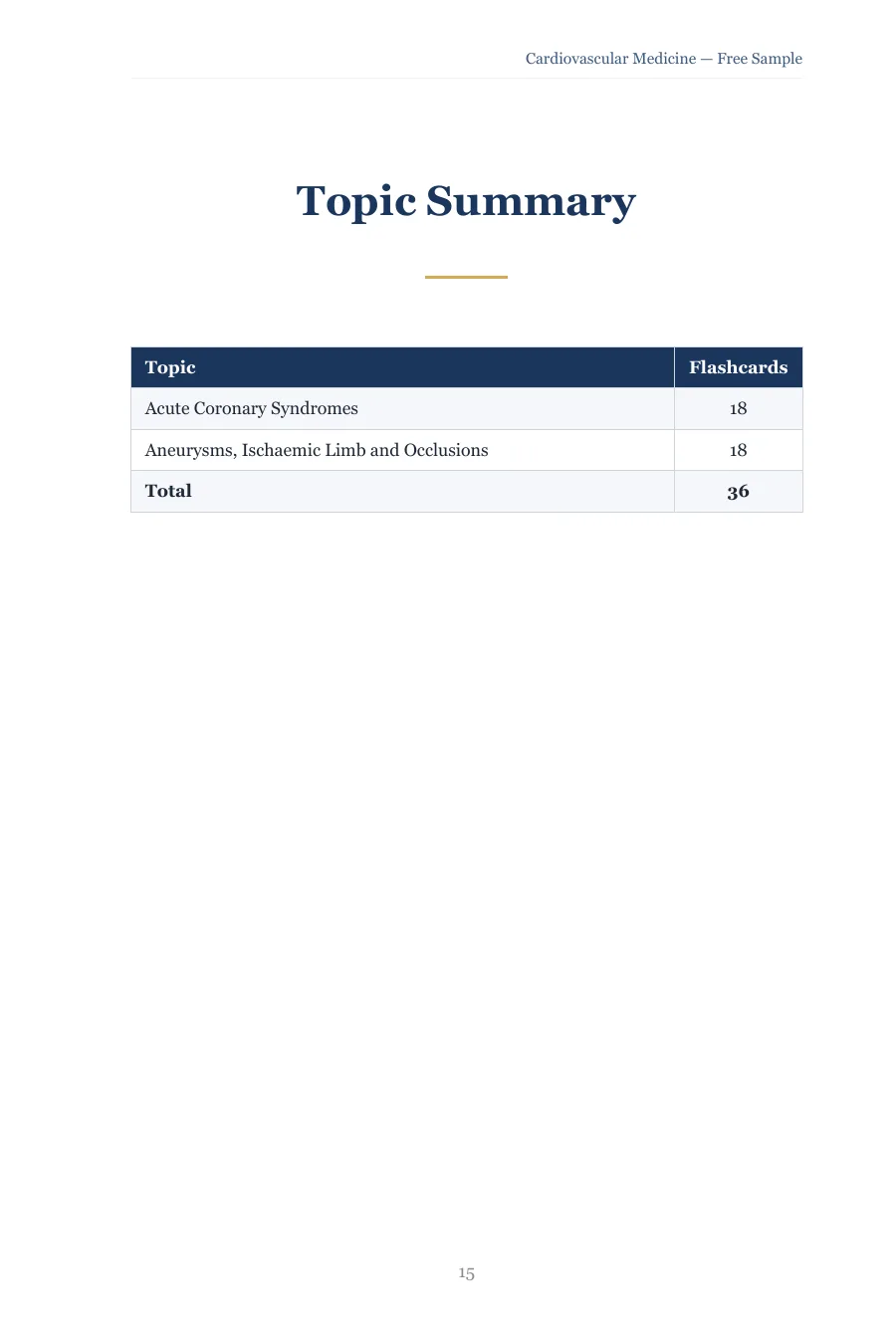
In the PDF the tables sit on the page at 6 by 9 inches, so two pages print side by side on one A4 sheet at close to full size. Printing just the flashcard pages of a volume gives you a physical deck for the commute at the cost of a few sheets per chapter; the Topic Summary at the back of each guide lists every chapter with its card count, which doubles as a print list. In the EPUB the same cards are a question-and-answer list, which reads cleanly on a phone or an e-reader and is easier to cover with a thumb than a table.
Where the app's cards take over
The same 8,020 cards, plus the 3,098 in the Clinical Presentations guides, are in the MLA Prep app with a spaced-repetition scheduler doing the date arithmetic for you and tracking the cards you keep failing. If you own the guides and find the paper routine slipping, that is the moment to move the schedule into the app; the content does not change, only who remembers the dates. If you want a taste of the format before buying anything, the free 300-card deck on the blog imports into Anki in one click.
Free sample
Try the Study Guide before you buy.
Two full chapters of study notes with their flashcard tables, in the exact format of every volume.
Ready for the full volumes? Browse the Study Guides →
The paper schedule
Read the chapter. Notes first, then the card table once with the answers uncovered, so the cards make sense.
Day 1: first pass. Cover the answer column, work down the questions, dot the ones you failed.
Days 3, 7 and 14. Repeat the pass from the dots. Clear a dot when the card falls twice in a row.
Final week. One pass through every table in the volumes for your weakest specialties, dots only.
Quick answers
- Are the flashcards the same as the ones in the app?
- Yes. The Study Guides carry 8,020 cards and the Clinical Presentations guides another 3,098; together that is the app's 11,118. The books present them as tables per chapter; the app schedules them.
- Can I import the book flashcards into Anki?
- Not from the books; the tables are typeset text, not a deck file. If you want an importable deck, the free 300-card UKMLA deck on the blog is built for Anki, and the app carries the full set with its own scheduler.